Table of Contents
You locked an account by setting its password to *. That should mean nobody can log in with a password, period. On certain Linux systems, it turns out a really, really long password can walk right through.
This is the “*sshole” bug disclosed on November 5, 2026. It only bites under a specific set of conditions, so the first job is figuring out whether your box qualifies. Then patch, or switch off password login.
What the *sshole bug does
Researcher Ozgun Kultekin found that on systems using the musl C library, the crypt() function returns * when hashing fails. Feed it an oversized password and hashing fails. The result, *, matches the stored hash of any account locked with *, and OpenSSH accepts the login.
According to BleepingComputer, this behavior has been around since 2016, when a fix for an older username-enumeration bug (CVE-2016-6210) changed how OpenSSH handles accounts without usable password hashes. Accounts with real password hashes aren’t bypassed.
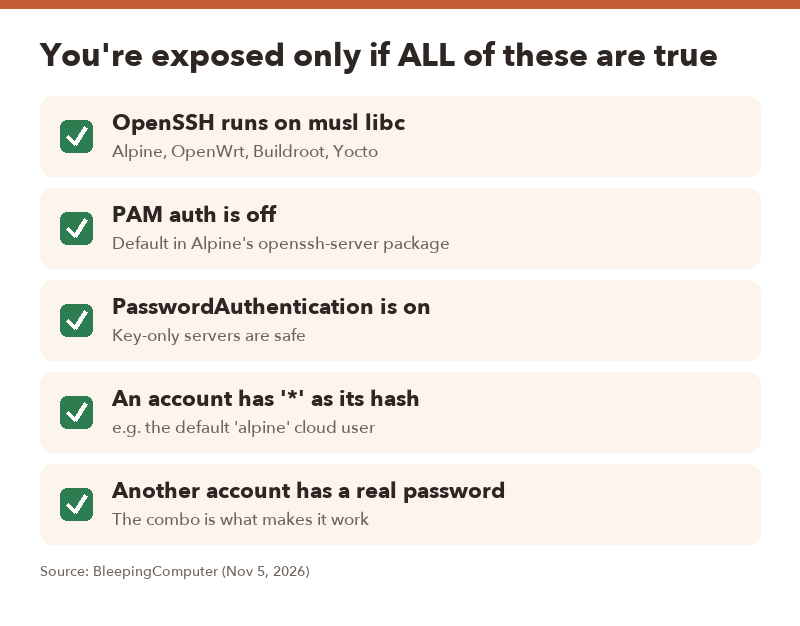
Are you affected? All 5 conditions must apply
| Condition | Notes |
|---|---|
| OpenSSH runs on a musl-based system | Alpine Linux, OpenWrt, Buildroot, Yocto |
| PAM authentication is disabled | This is the default in Alpine’s openssh-server package |
| SSH password authentication is enabled | Key-only servers aren’t exposed |
At least one account has * as its password hash |
A “locked” account |
| Another account has a valid password hash | Part of the required setup |
Not affected
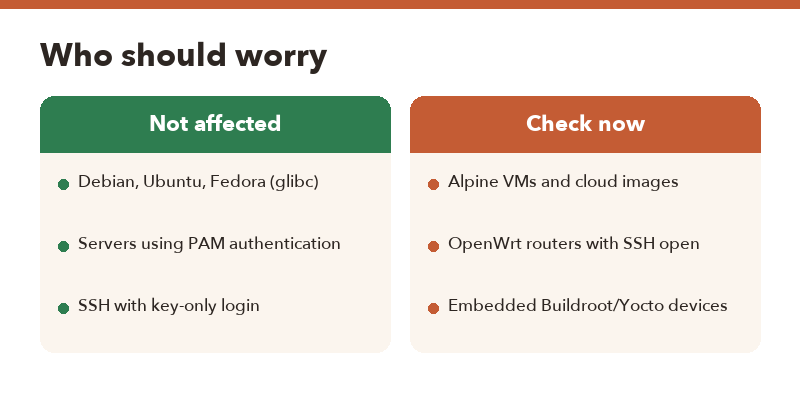
glibc-based distros like Debian, Ubuntu and Fedora aren’t vulnerable, and neither are systems using PAM authentication. If you run a typical Ubuntu VPS with keys only, you can relax.
The cloud image catch
The researcher pointed out that Alpine’s official AWS and Azure cloud images include a default alpine account that fits the pattern, and that account has passwordless doas privileges. In the wrong setup, that’s a path straight to root. If you’ve spun up Alpine in the cloud, check it first.
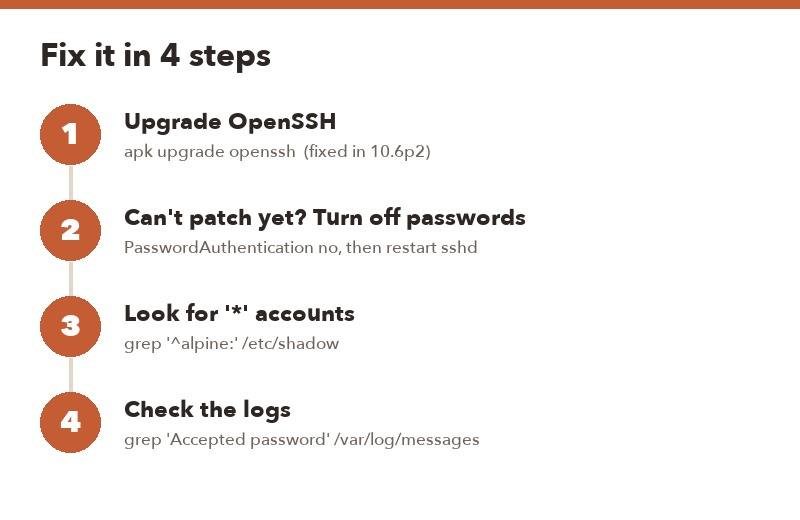
How to fix it (4 steps)
- Upgrade OpenSSH. The fix is in OpenSSH 10.6p2. On Alpine, run
apk update && apk upgrade openssh, then restart the SSH service. - Can’t patch right now? Disable password login. Set
PasswordAuthentication noin/etc/ssh/sshd_configand restart sshd. Make sure your SSH key works first, or you’ll lock yourself out. - Find locked accounts. Run
grep '^alpine:' /etc/shadow(or look through/etc/shadowfor other entries with*in the password field). - Check for past break-ins. Run
grep "Accepted password" /var/log/messages. A successful password login for an account whose password field is*is a red flag.
- Treat the machine as compromised. Rotate SSH keys and any credentials stored on it.
- For cloud VMs, rebuilding from a fresh, patched image is usually faster and safer than cleaning up.
What about routers and containers?
OpenWrt routers with SSH reachable from the network are worth a look, since OpenWrt is musl-based. Many home setups only use the root account with a real password, which doesn’t match the conditions, but it’s quick to confirm. Update packages through your router’s admin page or opkg once fixes reach your release.
Docker containers weren’t covered in the report. An Alpine-based container running its own sshd with password login on could plausibly fit the pattern. Most containers don’t run sshd at all, but if yours do, apply the same checks.
FAQ
Q. Is Ubuntu or Debian affected by *sshole?
A. No. The bug depends on how musl’s crypt() handles failures. glibc systems like Ubuntu, Debian and Fedora aren’t affected.
Q. Which OpenSSH version fixes it?
A. OpenSSH 10.6p2. On Alpine, upgrade the openssh package with apk.
Q. I only use SSH keys. Am I safe?
A. Yes. The attack requires password authentication to be enabled. Key-only servers don’t meet the conditions.
Q. What about accounts locked with “!” instead of “*”?
A. The report only describes accounts with * as the hash. Patching and disabling password login covers you either way.