Table of Contents
Plugged your new Googlebook into a monitor, hit play on Netflix and got… a black rectangle? Or watched someone’s lips move a beat before you heard the words through your earbuds? You weren’t imagining things.
Google’s first big monthly update for Googlebooks fixes those and more. Here’s what’s fixed for every model, what’s specific to yours, and how to install it without risking a bad restart.
What’s in the Googlebook November update
9to5Google reported the rollout on November 5, 2026, just over a month after Googlebooks launched. Google describes it as “many bug fixes, stability improvements, and firmware updates,” 31 changes in total. There aren’t flashy new features. It’s a cleanup release, and honestly, early adopters probably want exactly that.
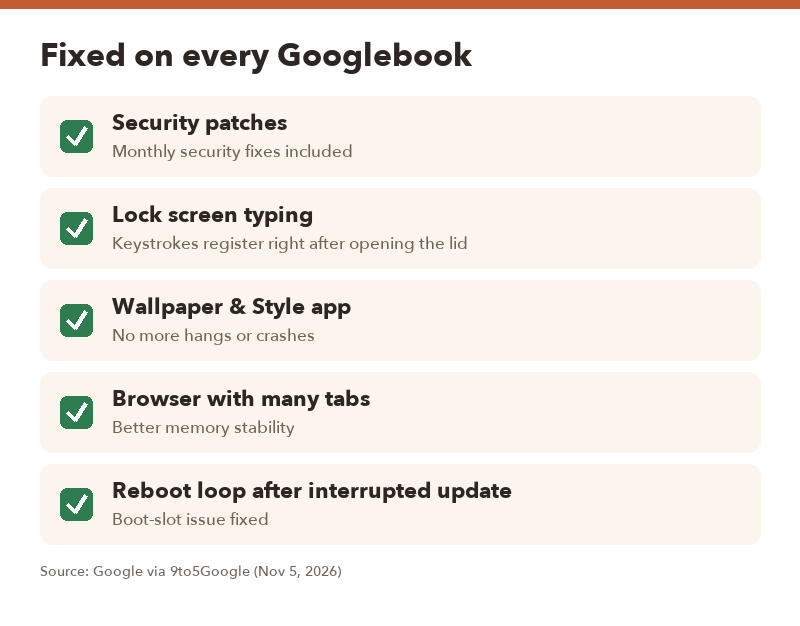
Fixes for every Googlebook
- Monthly security patches
- Lock screen keystrokes now register reliably right after waking the laptop or opening the lid
- Wallpaper & Style app no longer hangs or crashes
- Better browser memory stability with lots of tabs open
- More reliable Linux Terminal (Beta), including connection persistence and SSH port forwarding
- A fix for a boot-slot issue that could cause a reboot loop after an interrupted update
Fixes by model
| Model | What’s fixed |
|---|---|
| HP Googlebook 14 | Black screen for DRM video (like Netflix) on external monitors; display driver crash when unplugging a USB-C hub or multi-monitor setup; backlight dimming and color flicker in 60 FPS HDR/HLG video; better Bluetooth audio routing with less lip-sync lag; Bluetooth hearing aids (ASHA) selectable for audio; firmware install fix for unexpected restarts; Linux 6.12 kernel update |
| Dell XPS Googlebook 13 | Everything listed for HP, plus improved touch responsiveness and reliability |
| Acer Googlebook 14 | Keyboard and touchpad respond properly after switching between laptop and tablet/tent modes; Linux 6.18 kernel stability; lower on-device AI memory use on 16GB models |
| ASUS Googlebook 14 | Lower on-device AI memory use on 16GB models; Linux 6.18 kernel stability |
| Lenovo Googlebook 15 | Lower on-device AI memory use on 16GB models; Linux 6.18 kernel stability |
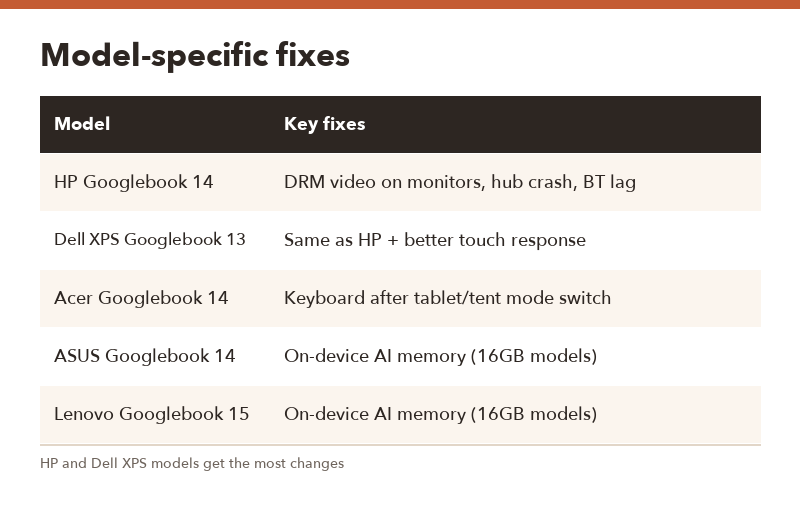
▲ HP and Dell XPS owners get the longest list.
The quiet accessibility win
On the HP and Dell XPS models, Bluetooth hearing aids that use ASHA can now be chosen as the audio output. If you or someone in your house uses hearing aids, that’s a bigger deal than any bug fix on the list.
How to install it safely
This update includes firmware, and one of the fixes is literally for reboot loops after interrupted updates. So treat it with a little care.
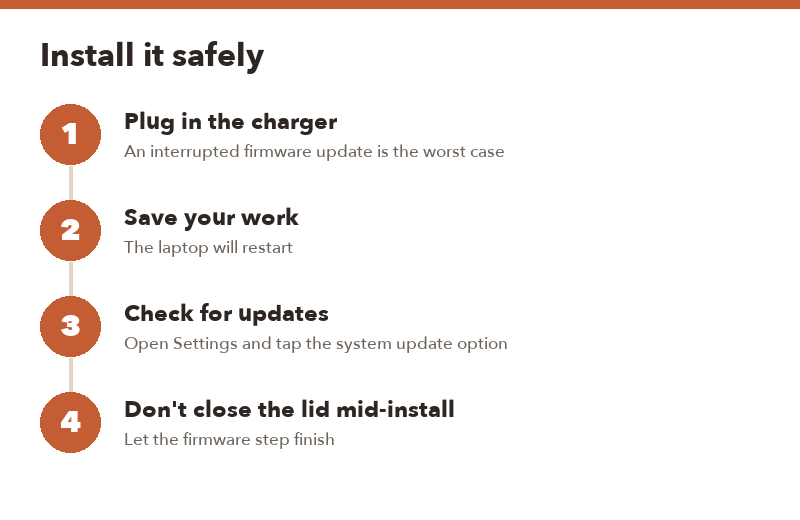
- Plug in the charger before you start.
- Save your work and close apps. The laptop will restart.
- Check for updates in Settings using the system update option. Updates roll out in stages, so it may take a few days to appear.
- Leave the lid open and don’t force a shutdown while firmware is installing.
Should you install it right away?
- Yes, today if you hit any of the listed bugs, especially black screens on monitors or hub crashes.
- Yes, soon for everyone else. It includes security patches.
- Hold a day only if you’re mid-deadline and can’t afford a restart. Then install it that evening.
FAQ
Q. Does the November update add new features?
A. Not really. Google lists bug fixes, stability improvements and firmware updates. The hearing aid support on HP and Dell XPS models is the closest thing to a new feature.
Q. Will it fix Netflix black screens on my external monitor?
A. That fix is listed for the HP Googlebook 14 and Dell XPS Googlebook 13. Other models weren’t mentioned for this issue.
Q. Why can’t I see the update yet?
A. Google usually rolls updates out gradually. Check again over the next few days.
Q. My Googlebook only has 8GB of RAM. Do I get the AI memory improvement?
A. Google specifically mentions 16GB devices for the on-device AI memory improvement on the Acer, ASUS and Lenovo models.