Table of Contents
The network switch in your office closet is probably the most forgotten device you own. It sits there blinking for years, nobody logs into it, and its firmware is whatever shipped in the box.
That’s exactly why attackers went after Zyxel GS1900 smart switches. If your small office, school or shop uses one, here’s what happened and the five steps to lock it down.
What happened with Zyxel GS1900 switches
BleepingComputer reported on November 4, 2026 that Zyxel fixed a zero-day, CVE-2026-107441, that had been exploited to break into nearly 1,000 switches. Zyxel released fixed firmware on October 22 and published its advisory on November 3.
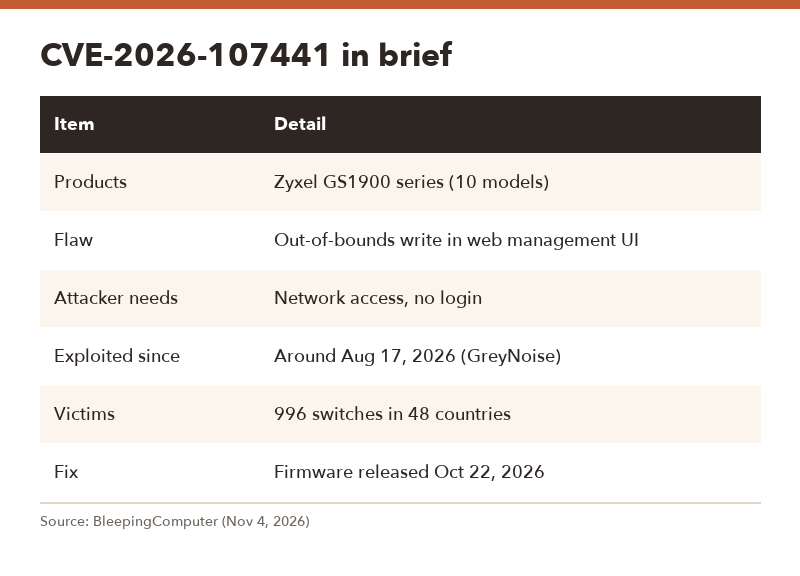
| Item | Detail |
|---|---|
| Products | Zyxel GS1900 series switches, ten models |
| Flaw | Out-of-bounds write in the switch’s web management interface |
| Attacker needs | Network access to the web interface, no login |
| Exploited since | Around August 17, 2026, according to GreyNoise |
| Victims | 996 devices across 48 countries |
| Fix | Firmware released October 22, 2026 |
How the attack worked
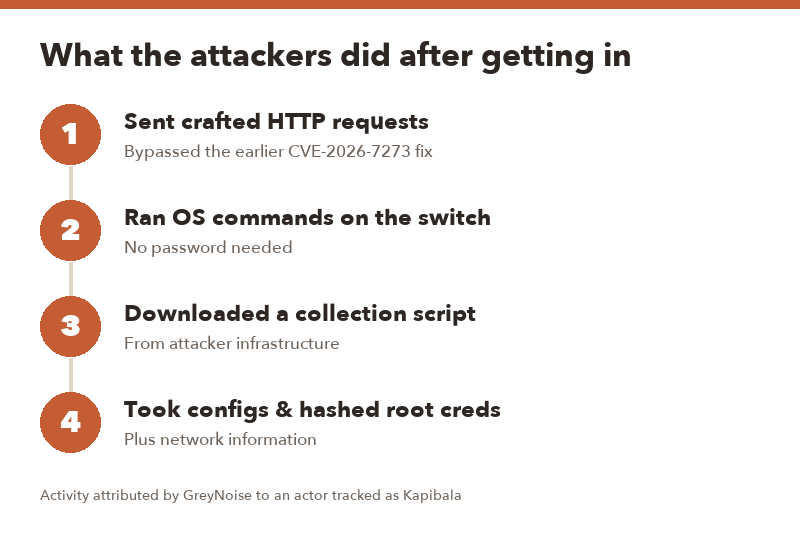
The exploit abused missing length checks on HTTP parameters, and it got around Zyxel’s earlier fix for CVE-2026-7273 by corrupting a parameter counter before it was validated. That let attackers run operating system commands on the switch with crafted web requests.
GreyNoise attributed the activity to a suspected Chinese-speaking actor it tracks as Kapibala, linked to an earlier campaign that exploited a Gitea flaw. Security firm Binarly found the exploit in an exposed archive and reported the new flaw to Zyxel on September 29.
What the attackers took
Once inside, the attackers downloaded a script that collected the device configuration, hashed root credentials and network information. That’s reconnaissance. A switch config is basically a map of your network, and credential hashes can be cracked offline.
5 steps to secure your GS1900 switch
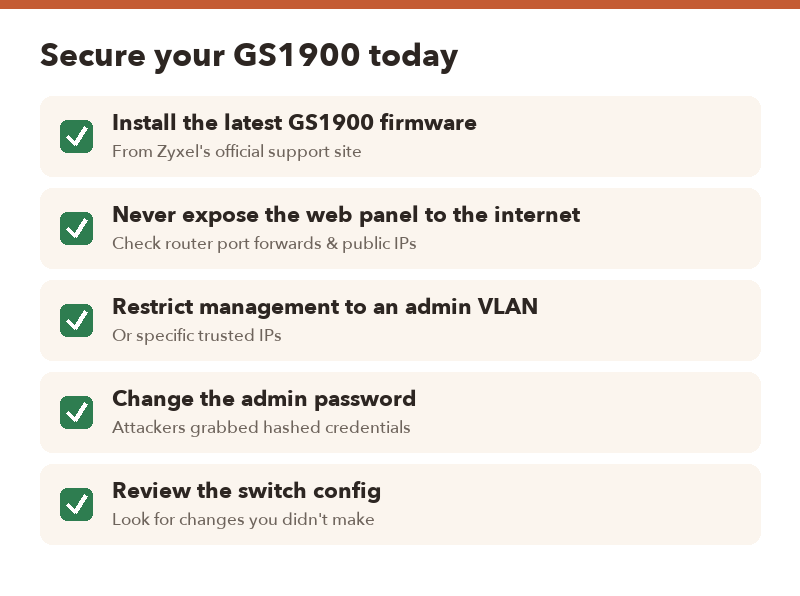
- Install the latest firmware. Download it from Zyxel’s official support site for your exact GS1900 model and apply it through the switch’s management page. Do it after hours, since the switch will reboot.
- Make sure the web panel isn’t on the internet. Check your router for port forwards pointing to the switch, and confirm the switch doesn’t have a public IP.
- Restrict who can reach management. Put management on a separate admin VLAN or allow only specific trusted IP addresses.
- Change the admin password. Attackers took hashed credentials from compromised units, so a fresh, strong password is cheap insurance.
- Review the configuration. Look for VLANs, port mirroring, accounts or settings you don’t remember adding.
- Look at the label on the switch, or ask whoever set up your network. GS1900 models are common in small offices.
- If an IT provider manages your network, send them this CVE number and ask when the firmware was updated.
FAQ
Q. Which GS1900 models are affected?
A. BleepingComputer says ten models in the GS1900 series but didn’t list them. Check Zyxel’s November 3 advisory for the exact models and fixed firmware versions.
Q. My switch isn’t reachable from the internet. Am I safe?
A. Much safer, but not fully. The attack only needs network access to the web interface, so a compromised PC on your network could still reach it. Update anyway.
Q. How do I know if my switch was hacked?
A. The report doesn’t list indicators. Look for config changes you didn’t make, and if in doubt, update the firmware, reset the configuration and set new credentials.
Q. Is this the same as the earlier Zyxel CVE-2026-7273?
A. No. This new flaw bypassed the earlier fix for CVE-2026-7273, so even switches patched for that one needed the October 22 firmware.